
Marketers know that there are a million possible things they could be working on, and like all things, if it’s not organized, it will certainly be forgotten. Unfortunately for marketers, because their work is often so visible, this is not acceptable. This post is about how I keep organized.
I’m a little bit OCD, so I tend to over-index on organizing. The challenge, while I manage to organize things well, is that things begin to overflow – fast. I document, organize, move things around. So while I get shit done, 100%, I may not be the best practice for organization, but I wanted to share anyway!
I use Asana to track all of my projects. Frankly, there are so many project management options you could use, but I find Asana the one that works the best for me – but probably because I’m so used to it.
I have a primary Team that’s Marketing, then several other Teams for tracking projects by lead source (more on that later). The challenge with being a team with tons of projects is that you may end up with a long row of them and it becomes difficult to organize.
As you can see below, instead of projects, I have categories of work under marketing. Any actual projects, I organize separately. For marketers, there’ll always be ongoing work for branding or ops or PR for example, so having a dedicated space to host it helps.
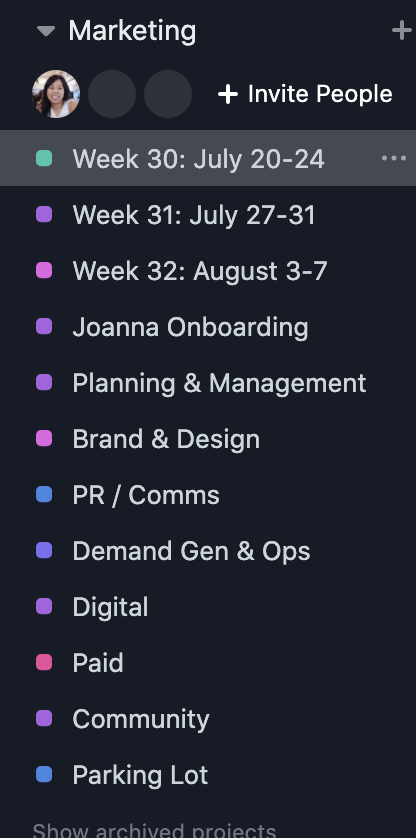
Leverage Teams to manage groupings of projects
After the Marketing Team, I also have several teams by lead source or project heavy groupings. This is probably unusual for most orgs, but I find it helpful in organizing and keeping things need. The categories I use are:
- Content Marketing
- Product Marketing
- Event Marketing
All three of these will often have projects that need to be separated out versus one-offs in a single category. For example, in Product Marketing, you might have a product launch, or in Event Marketing a webinar. Both of those examples involve multiple steps that can get complex.
How to cross tag tasks
What’s cool about Asana is the ability to cross-tag tasks in multiple projects. One task can be listed on multiple projects. So this is where it gets a little wonky and you have to widen the way you think about your org. Here’s an example:
You are hosting a webinar with the task titled “Cool Webinar”. The webinar involves a subject matter expert (SME), designer, web developer, content marketer, and demand gen marketing. Now, if they all work out of the project, how do they know how all of this work fits into their bigger picture?
Well, two ways:
- Option 1:adding tasks to their “project” folder (your “develop landing page for Cool Webinar” lives not only under the “Cool Webinar” task but also under a folder the web developer uses to manage all web workflow called “Digital” or “Website.”
- Option 2: utilizing the tagging system – instead of managing the work in a “Project” the developer can use the tag “Web” to identify all tasks across all projects that are for web.
I prefer Option 1 because it’s too easy to create a new tag and fixing them is a pain. It’s much more difficult to create a new “Project.”
Now that I have some projects, cross tagged, them, etc… what comes next?
How do I manage my day to day?
I have a Weekly Project “Board” for each week of work. When I have a team, I track everyone’s workflow within it, but because I’m alone right now, it’s just all of my crazy amount of tasks.
To put things into this list, I go to My Tasks and tag all tasks with due dates during that time period, and anything I am working on over multiple weeks into this Weekly Project Board.
Below you’ll see that I use the following headers: Not Started, In Progress, Pending Stakeholders/In Review, and Completed.
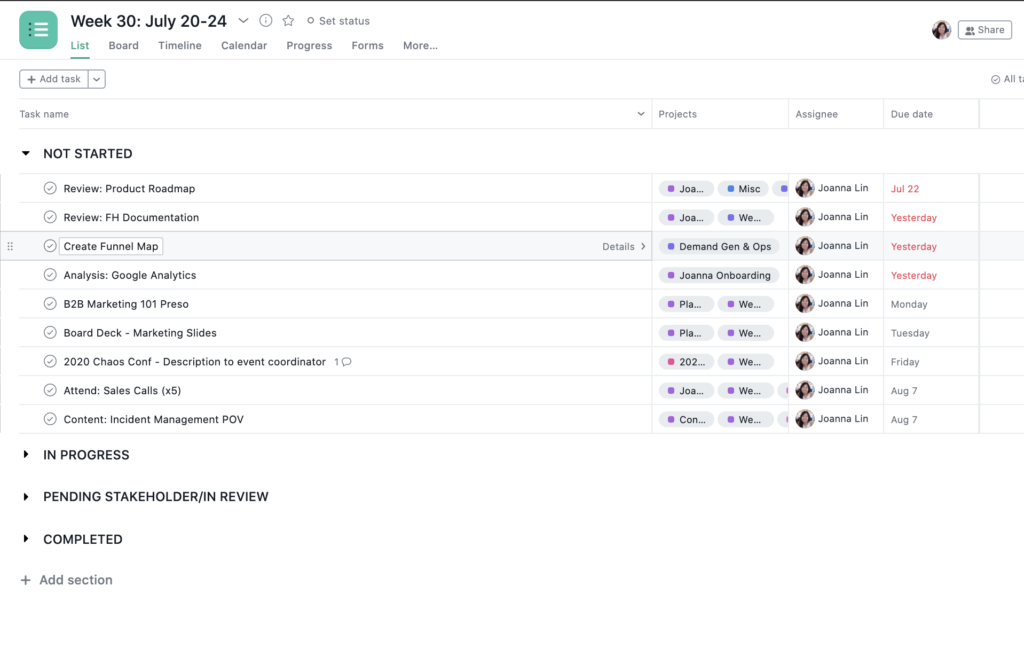
As I complete things, I move them into their categories. If Kanban view is better for you, that is also available.
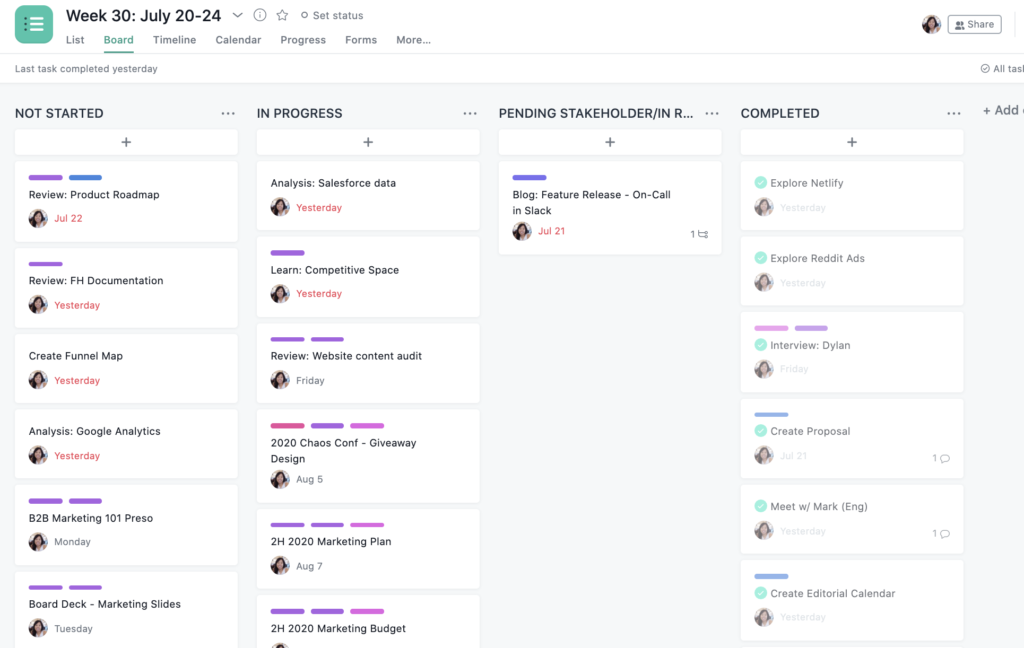
I create plenty of notes and links in each project. If things are delayed, I make a note. If I have a thought, I make a note. I prefer to run most of my work in Asana versus email, but I do have to utilize Google Docs (and we also use Notion) heavily.
What’s the takeaway?
Your team members may operate in a wide variety of ways, so try to keep it simple if you can so that you can accommodate all work styles in the best way possible.
This is what works for me. Finding what works for you will take a little bit of trial and error (it took me many years to come to this format and has kept me the most productive and on schedule).
Header Photo by Markus Winkler on Unsplash